THE PLAYBOOK · FEINA365
A practical guide to Classic Sudoku
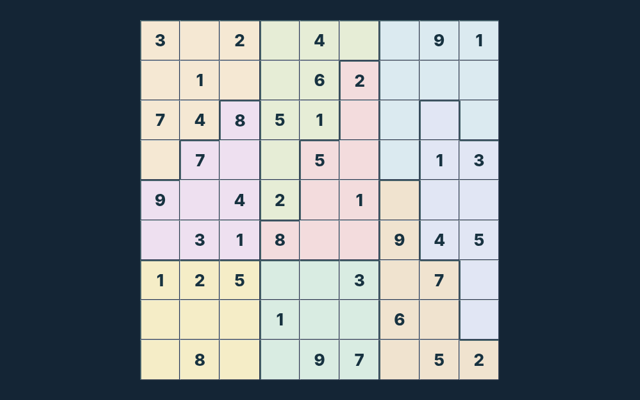
Use a short break to learn the rhythm of Classic Sudoku. Fill all cells with 1–9; do not repeat a symbol in any row, column or region. Use the example below to understand a decision. Read the objective before making your first input. Check the relevant rule before repeating a move.
Build familiarity through play
Watch the feedback after an action. A message can explain whether the input was accepted or whether a rule needs attention. Notice the feedback after each input.
The goal to keep in mind
Fill all cells with 1–9; do not repeat a symbol in any row, column or region. The feedback beside the game helps you follow the round. Follow this game’s rules rather than another version’s.
Start here and follow along
- Select an empty cell. The original clues cannot be edited.
- Choose a symbol from the number pad, or type it on a keyboard.
- Turn Notes on to record candidate symbols without committing an answer.
- Use Check entries to check your filled values. Hint reveals one value from the verified solution.
- Complete the board, or choose New puzzle for another board.
Making selections and moves
Tap or click a cell and use the number pad. Keyboard: arrows select cells; digits (and A–G on 16×16) enter values; Backspace erases. Keep the playing area visible while using these controls. Use the visible help when you are unsure of the next input.
One way to understand the rules
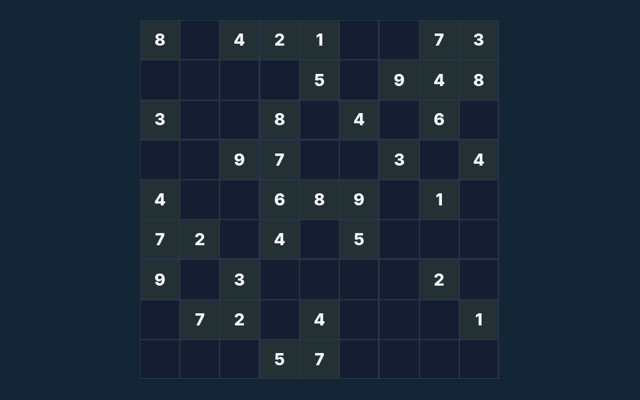
On one puzzle in this collection, row 1, column 1 has 6 in its solution. Read the clues on your current board before using that value; another puzzle can need a different entry. Use the example as a guide rather than a substitute for reading your board. Take a moment to compare.
A mistake to avoid
Notes are reminders, not final entries. A full board only counts as complete when it satisfies every rule. Read the feedback to see why an action did not have the expected result. Locate the buttons and input area before beginning a long round. Use the on-screen labels to avoid an accidental restart.
A few questions answered
For this browser game, what is the goal of Classic Sudoku?
Fill all cells with 1–9; do not repeat a symbol in any row, column or region.
For this browser game, how do I control Classic Sudoku?
The key detail is this: Tap or click a cell and use the number pad. Keyboard: arrows select cells; digits (and A–G on 16×16) enter values; Backspace erases.
While reading the Guide, what example helps explain Classic Sudoku?
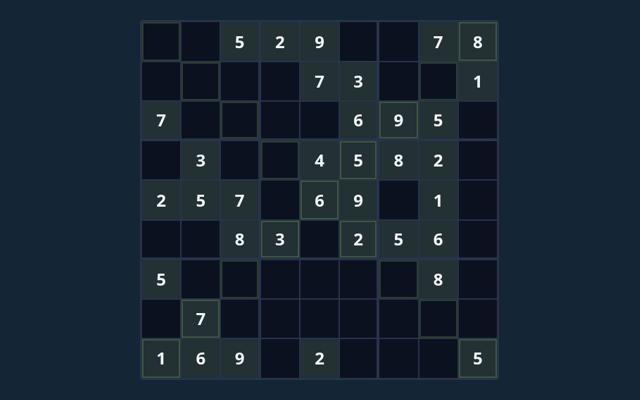
Here is the relevant explanation: On one puzzle in this collection, row 1, column 1 has 3 in its solution. Read the clues on your current board before using that value; another puzzle can need a different entry.
When I return, what should I watch out for in Classic Sudoku?
Keep this in mind: Notes are reminders, not final entries. A full board only counts as complete when it satisfies every rule.
Before I begin, what format does Classic Sudoku offer?
Here is the relevant explanation: Play using the solo mode shown on this page. Read the controls before starting a new round.
For a quick reminder, which play mode does Classic Sudoku use?
The mode on this page is Solo. Same-device play uses one screen; this game library does not provide internet matchmaking.